
Activate Audio Stream
Interact with phone calls via streaming.
At a glance
To stream live call audio over a WebSocket connection, issue the Stream PerCL command within your telephony call flow setup. This establishes a bidirectional media connection between the call and your server, enabling real-time audio analysis, sentiment monitoring, or automated transcription.
Stream live phone call audio in FreeClimb via gRPC
You're ready for this how-to guide if you've got the following:
Your tools and language installed
gRPC server capable of handling bidirectional streaming
Webserver to return PerCL to configure Audio Streaming
Steps for all applications
Step 1: Determine how to expose application.
a. ngrok - allows local development but can be limited by firewalls and requires a ngrok account to proxy TCP traffic
b. directly - requires a server and public IP space (or proxy that can handle gRPC/HTTP2).
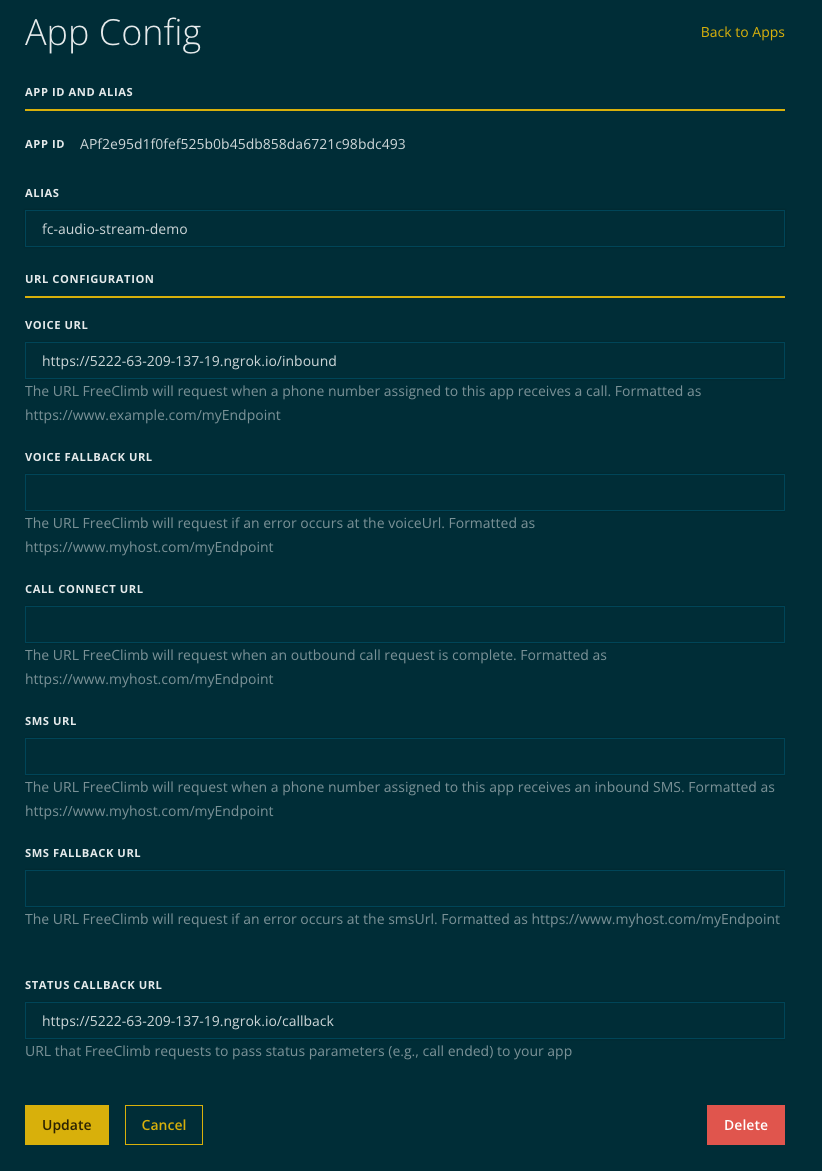
Step 2: Configure FreeClimb application to point at PerCL server.
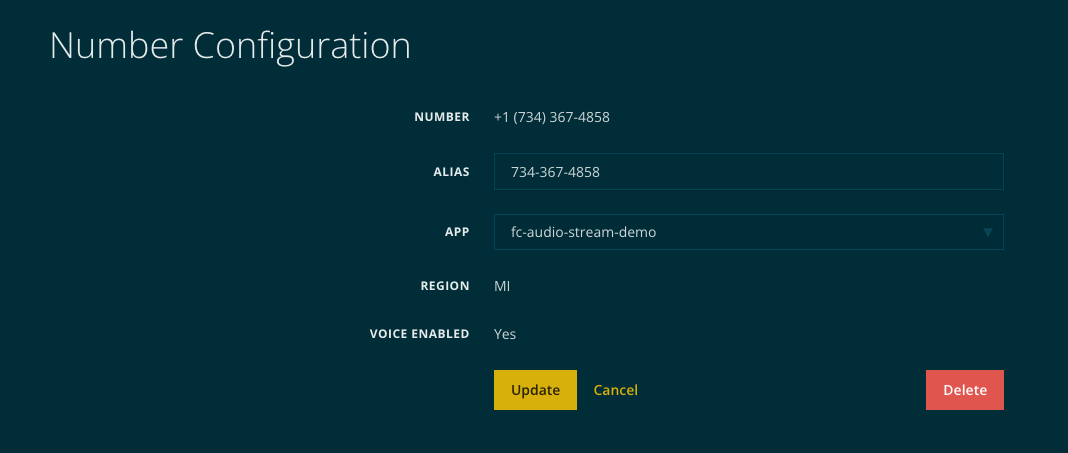
Step 3: Purchase and associate number with FreeClimb application.
Python
- Run gRPC server component to be exposed.
git clone https://github.com/freeclimbapi/freeclimb-audio-stream-specification
cd freeclimb-audio-stream-specification/examples/python/server
./setup.sh- Configure PerCL server to serve AudioStream PerCL command pointing at gRPC component
cd freeclimb-audio-stream-specification/examples/python/server
source venv/bin/activate
WEBHOOK_HOST=<url for this webserver> AUDIO_STREAM_HOST=<host and port of grpc server> python3 webserver.py
Java
- Install npm packages.
cd freeclimb-audio-stream-specification/examples/javascript
npm install- Setup .env file.
WEBHOOK_HOST=URL
AUDIO_STREAM_HOST=URL
gRPC_PORT=50051- Start webserver in one terminal instance.
cd freeclimb-audio-stream-specification/examples/javascript
node server.js- Start gRPC server in another terminal instance.
cd freeclimb-audio-stream-specification/examples/javascript
node grpcServer.js- Call phone number configured in application. Should see console log messages in grpc server terminal and webserver terminal.
Go
- Install packages.
cd freeclimb-audio-stream-specification/examples/go
go mod tidy- Start webserver in one terminal instance.
cd freeclimb-audio-stream-specification/examples/go
WEBHOOK_HOST=<url for this webserver> AUDIO_STREAM_HOST=<host and port of grpc server> go run main.go- Start gRPC in another terminal instance.
cd freeclimb-audio-stream-specification/examples/go
go run main.go- Call phone number configured in application. Should see console log messages in gRPC server terminal and webserver terminal.
ngrok
- Configure ngrok with multiple tunnels.
ngrok config edit

# add these lines
tunnels:
    grpc:
        proto: tcp
        addr: 50051
    http:
        proto: http
        addr: 5001

# start the ngrok tunnel
ngrok start grpc http

# from the output you will need both tunnels to add to the WEBHOOK_HOST and AUDIO_STREAM_HOST above
# note that you may need to setup a proxy on a public ip listening on port 443 to forward the GRPC traffic to your local development environment
Direct Access
Depends heavily on the environment the applications are being deployed in. This typically will require public IP space, or a proxy that handles HTTP2 traffic, this includes many common open source proxies.
Updated 2 months ago